
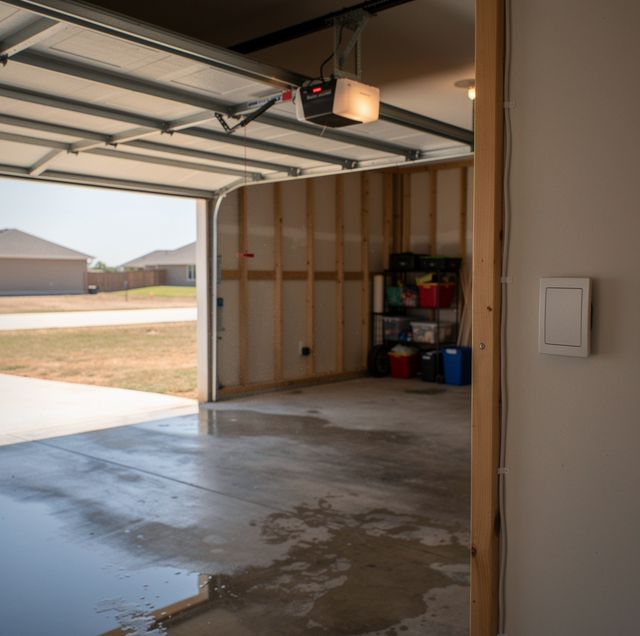
You are at the kitchen table, or half asleep in bed, when you hear it: the low grind of the opener rail engaging, then the door itself climbing its track. No remote in your hand. No one standing at the wall switch. By the time you get out to the garage, the door is open a few inches or all the way up, and the light on the powerhead is still glowing like it just finished a normal cycle.
This is specifically about a door that moves with no command from you at all. A breaker that trips while the opener runs, an opener that gives no response at all, lights included, and a remote that has simply quit working are all different problems with different fixes. A door that reverses partway down before it reaches the floor almost always traces back to the safety sensors, a separate subject in its own right.
A door that has moved with nobody at the controls can move again without warning. Stay clear of the opening while you investigate, and keep children, pets, and vehicles from passing or parking under a door that isn't fully open or closed.
A Remote Pressed by Accident in a Car, Bag, or Pocket
A garage remote's button is a momentary switch, needing only a brief touch of two contacts to send a complete command, not a deliberate hold. A visor-clipped remote bumped by a sun visor flipping down, a handheld unit loose in a console that a gym bag settles against, or a keychain remote squeezed between a car seat and a hip: any of these is enough contact to fire a signal.
Range matters too. Many remotes reach well past a driveway, so the transmitter doesn't need to be aimed at the door, only within range at the moment the button gets pressed. That's why this cause tends to cluster around specific moments: a car pulling in, a bag getting thrown onto a passenger seat, someone sitting down hard behind the wheel.
You can test for this without touching anything electrical. Pull every remote out of every vehicle, bag, or coat for several days and set it somewhere the buttons can't get bumped. If the door stops moving on its own during that stretch, the fault was never in the opener, and moving the remote to a spot where nothing presses against it usually solves it for good.
The Wall Control Button Is Stuck or Shorted
The button on the wall control closes two small contacts when pressed, and they are wired straight to the opener's logic board via a low-voltage pair. Dust, spider webs, or debris from a small insect getting inside the housing can bridge those contacts without a finger ever touching the button. An aged rubber membrane behind the button face can also stiffen and warp enough to hold the contacts together intermittently, the same way pressing and releasing would.
Because the wire runs directly to the board, that short reads exactly like a real command. Depending on how long the contact stays bridged, the result can be a full open cycle, a door that stops mid-travel, or a door that reopens right after it starts closing.
Watch and listen for a pattern: does the opener start right when someone brushes past the wall control, or does it fire when no one is anywhere near that wall at all? You can look closely at the button and the area around it, checking for debris, webbing, or a swollen button face, without opening the control's housing. What you notice there, along with when it happens, is useful information to hand off if the button turns out not to be the answer on its own.
A Pinched or Stapled Low-Voltage Wire Touching the Frame
The same two-wire pair that connects the wall control to the powerhead usually runs along the ceiling and down the door frame, often held with staples during installation. A staple driven a little too deep can pierce the wire's insulation. A section of wire pinched between framing and trim can do the same thing as the wood settles over the seasons. Either way, exposed copper touching a grounded metal surface, or the two conductors touching each other, completes the same low-voltage circuit a real button press would.
There's no spark and no tripped breaker with a fault this small, which is part of why it's easy to miss. It also tends to be intermittent, since a wire only shorts when it's flexed into contact, and temperature swings or the door's own vibration can shift a marginal pinch point in and out of contact.
You can trace the visible run of wire along the ceiling and frame with a flashlight, looking for staples that sit too close to the insulation or a spot where the wire disappears behind trim at an odd angle, and note what you find. That's useful groundwork. Confirming and correcting an actual short in that wire is a job for someone with a meter, since a wire that looks fine on the outside can still be damaged underneath.
Interference from a Neighboring Transmitter on an Older Fixed-Code Opener
An older fixed-code opener transmits one unchanging code, set by a small bank of switches inside both the remote and the receiver. Any transmitter broadcasting that exact code on the same frequency can trigger the receiver, whether it's an old universal remote programmed to match, or another opener nearby that happens to share the same switch pattern by coincidence.
Rolling code changed that. Openers built in recent decades pair a specific remote to a specific receiver, so each press sends a new code generated by an algorithm rather than repeating the same one. A captured or duplicated signal from outside the property essentially doesn't work a second time, which is why this kind of interference has become uncommon on newer systems.
A related possibility exists even on a rolling-code system: a spare remote paired to the opener at some point, left from a previous owner or an extra clicker no one uses anymore, still works exactly like your own remotes and can trigger the door from wherever it is. If you can't account for every remote that works your opener, that's worth mentioning when you call for service.
Note the exact time of each occurrence for a week or two. A pattern tied to a specific hour points toward an external transmitter or a flexing wire; scattered timing points more toward a worn contact.
If your opener predates rolling-code pairing, this cause deserves real consideration, especially in a spot where more than one older opener of the same brand could be within range of each other. If the opener already uses rolling-code remotes, this becomes an unlikely explanation, and attention should return to the wiring or the board.
A Logic Board Misreading a Signal That Isn't There
The logic board reads the voltage across several terminals, including the wall control connection and the wireless receiver, and interprets certain patterns as commands to run the motor. Components on that board age: capacitors dry out, and solder joints crack from years of heat cycling in a garage that runs well above outside temperatures during the hottest months. A board in that condition can misread a floating or noisy voltage as a legitimate signal and fire a command with no external trigger at all.
This is the least common cause of the five, mostly because it's usually what's left once the remote, wall control, wiring, and outside interference have all been ruled out. A failing board doesn't announce itself in advance, so this cause tends to be confirmed by elimination rather than by anything you can see and point to.
What the Timing Tells a Technician
One occurrence tells you almost nothing. A pattern across several occurrences tells you a great deal, especially once you change one variable at a time instead of several at once. Pulling remotes from the house while also assuming the wall control is fine makes it hard to know which change mattered if the door goes quiet.
A few details are worth writing down as you go, since they're the ones a technician will ask about first:
- The date and time of each occurrence, as close as you can pin it down.
- Whether any remote was inside the house or a vehicle at that moment.
- What the weather was doing, including whether it was unusually hot, cold, or stormy.
- Whether the opener's status light was on steady, off, or blinking when you checked it.
Once you've worked through that list and the door still moves with nothing accounted for, you're past what a flashlight and a notepad can settle. That's the point where a meter on the wiring and a real check of the board earns its place.
Frequently Asked Questions
Many opener companion apps include a location-based feature that automatically opens or closes the door once your phone crosses a set distance from the house. If that geofencing option is switched on, a phone reconnecting to a network or updating its location at an odd moment can send a real command through the app that looks exactly like a phantom activation. Check the app's settings for any automatic-open feature tied to your phone's location before assuming the cause is mechanical.
A brief power interruption does not cause the opener to move on its own; the motor only runs when it receives a command from a button, remote, or app. What a blip can do is clear the board's memory of the door's travel limits or leave the unit needing to relearn its positions, so the next command you give it may stop early, stop late, or reverse partway instead of running its normal path. That kind of oddity tends to line up with storm activity or a breaker event, and it's worth mentioning if the timing matches when you call for service.
The individual rubber number buttons on an outdoor keypad wear down and stick the same way a wall control button can, and a code that gets entered repeatedly, whether from a worn button or a curious child at the pad, is read by the receiver as a normal open request. This is a keypad problem rather than a wall-control one, worth testing on its own. A keypad that also struggles to accept new codes reliably points more toward a worn pad than a wiring fault.
A wall control mounted where it receives direct sun for part of the day, or near an exterior wall near a hose bib or sprinkler head, collects moisture behind the button plate more easily than one mounted away from those spots. That trapped moisture can bridge the two contacts inside the housing without anyone pressing anything, producing the same signal as a real press. If your wall control sits somewhere exposed like that, its location is worth pointing out to whoever ends up testing it.
A rolling-code opener and each remote paired to it track a moving sequence of codes together, and most receivers accept a limited number of presses before the last one they logged. A remote that gets pressed repeatedly while it's out of range, jostled loose in a drawer against other objects, or bumped around in storage can push its own count past the range the receiver still recognizes. The remote you use daily stays in step because the receiver logs each press as it happens, while one that sits unused can drift outside that range and simply stop responding until someone pairs it again.
The receiver's antenna is usually a short wire lead near the circuit board, and it works best hanging free rather than coiled up or taped against metal framing during installation. A coiled or metal-adjacent antenna doesn't transmit anything on its own, but it can behave inconsistently and occasionally pick up stray radio activity it would otherwise ignore. If yours has sat untouched since installation, that's a detail worth mentioning rather than a likely cause by itself.
Rule out the remotes and the wall button first; if the door still moves without a command, a technician can trace the wiring and test the logic board as part of opener repair. Call or text Arnold at (682) 337-7220.